Life Is Feudal: MMO
12.09.2023

Voice Chat and how to use it
Here's how it works:
- Players can communicate, hearing each other within a 20-meter range.
- The voice chat has a fading function, so the farther away the player is, the more muffled the voices are.
- Voice chat also accounts for vertical distance. That rule applies even for vertical distances
Here's how to set it up:
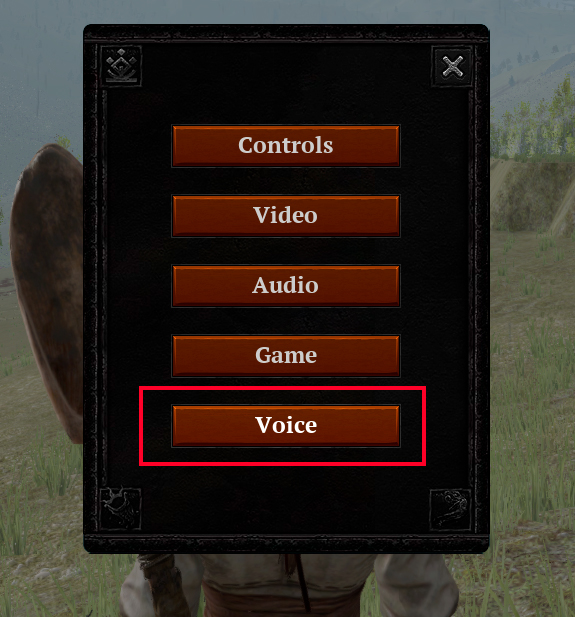
- In the in-game settings menu, you'll see a new "Voice" button which manages the voice chat settings.
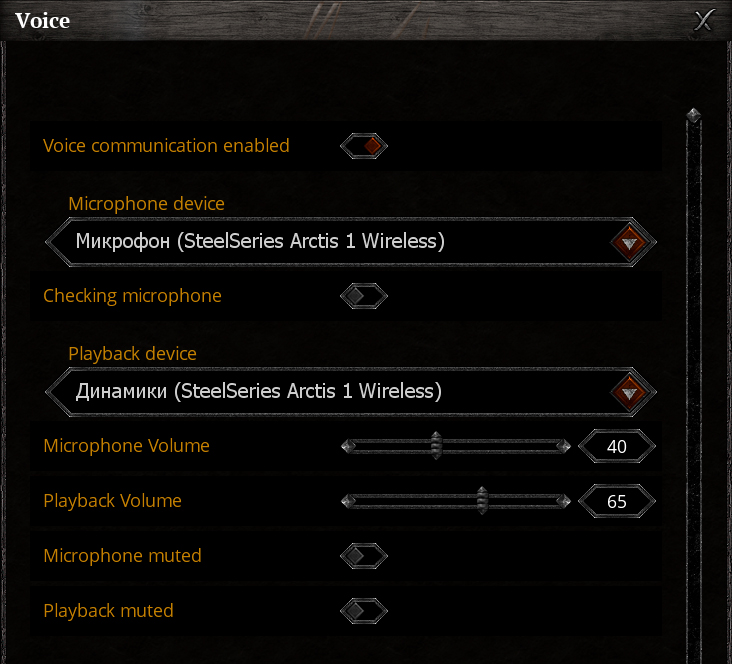
- You can enable/disable voice chat.
- You can enable the microphone test function (you'll be able to hear yourself).
- You can select devices for the microphone and speaker.
- You can adjust the volume of your voice and other players.
- You can mute the microphone and other players' voices.
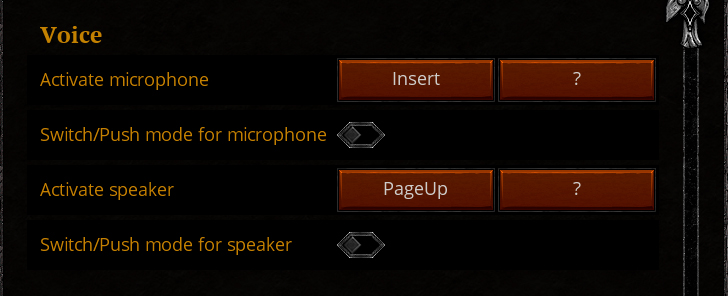
There's also a new "Voice" section in the control settings. Here, you can enable the Push-to-Talk and Push-to-Hear functions and assign the buttons you prefer for these features. This allows you to activate your microphone or listen to others' voices at the push of a button.
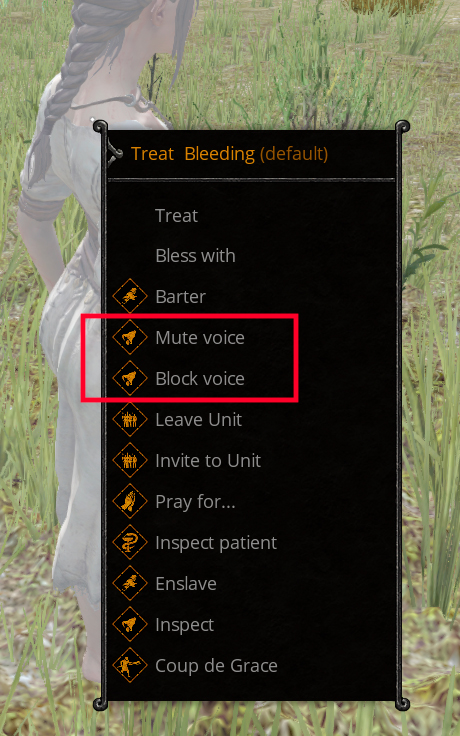
Also, in the player interaction menu, we've added new features that let you mute a specific player's voice or block them altogether.
Give it a try and let's hear your battle cries!
.jpg)